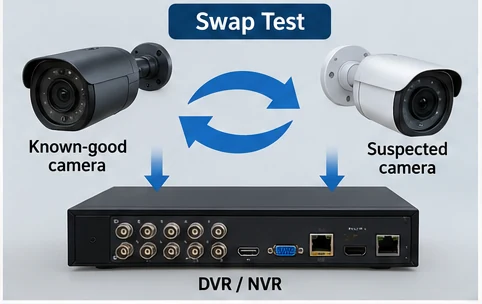
Security Camera Has Power but No Video? Use a Swap Test to Find the Fault
Security camera has power but no video? Use a swap test to check the camera, cable, DVR/NVR port, BNC, PoE connection, and power before replacing parts.
Read guide →
Find practical home tech Wi-Fi troubleshooting guides for common internet, router, smart TV, security camera, and connected device problems. Learn how to identify likely causes, run simple diagnostic checks, and choose the right fix.
Search HomeIssueLab by symptom, device, or home system.
Choose the symptom that best matches what you're seeing.
Security camera has power but no video? Use a swap test to check the camera, cable, DVR/NVR port, BNC, PoE connection, and power before replacing parts.
Read guide →
DVR beeping or clicking? Diagnose HDD errors, weak power adapters, loose connections, alarms, and hard drive problems before replacing parts.
Read guide →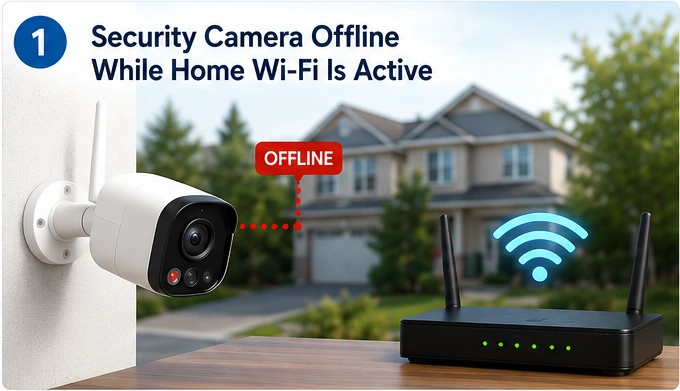
Security camera keeps going offline? Diagnose Wi-Fi signal, power, router, band, and camera-specific issues with a clear step-by-step troubleshooting guide.
Read guide →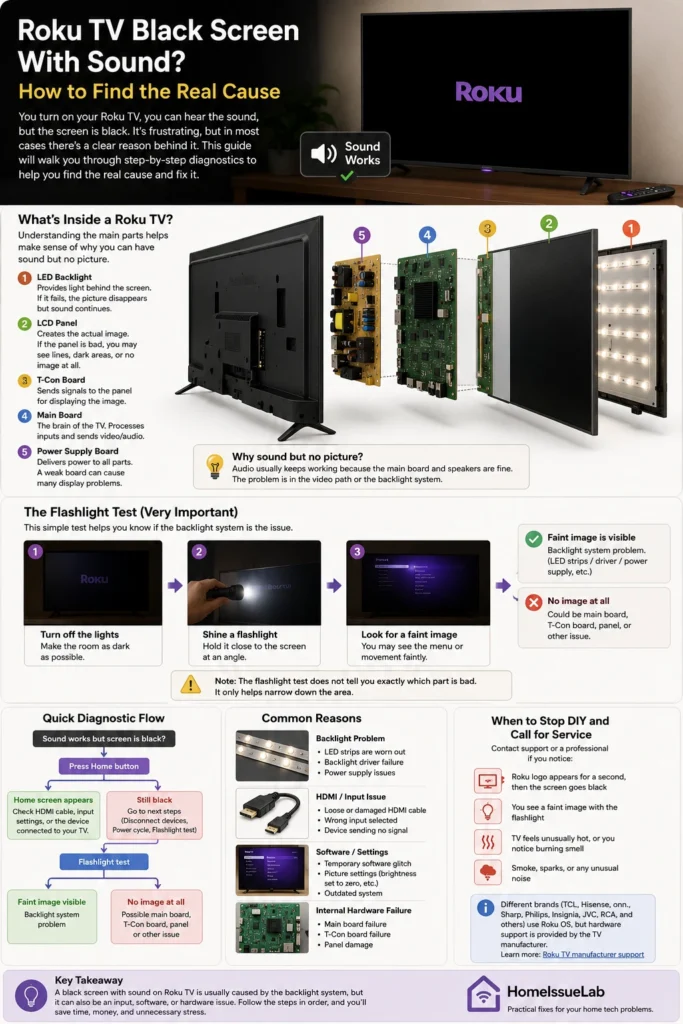
Roku TV black screen but sound still works? Diagnose the cause, run the flashlight test, identify hardware problems, and learn how LED backlight repairs are done.
Read guide →Move between HomeIssueLab sections without starting your search over.