
Thermostat Not Working? Use the Screen, Sound, and HVAC Response to Find the Cause
If your thermostat is not working, do not assume the thermostat itself has failed. The screen, the set temperature, and the way your heating or cooling equipment responds can usually tell you which direction to troubleshoot first.
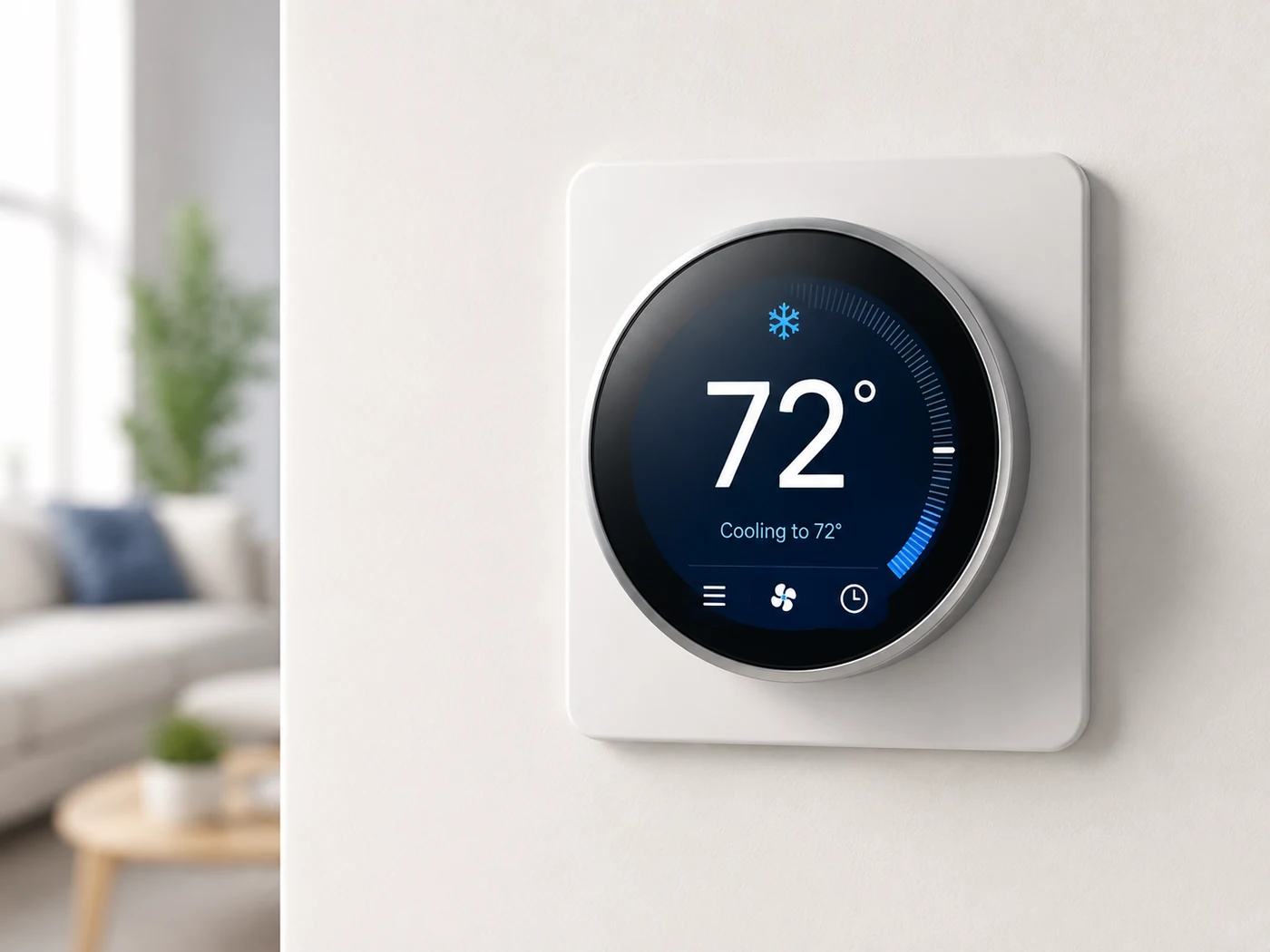
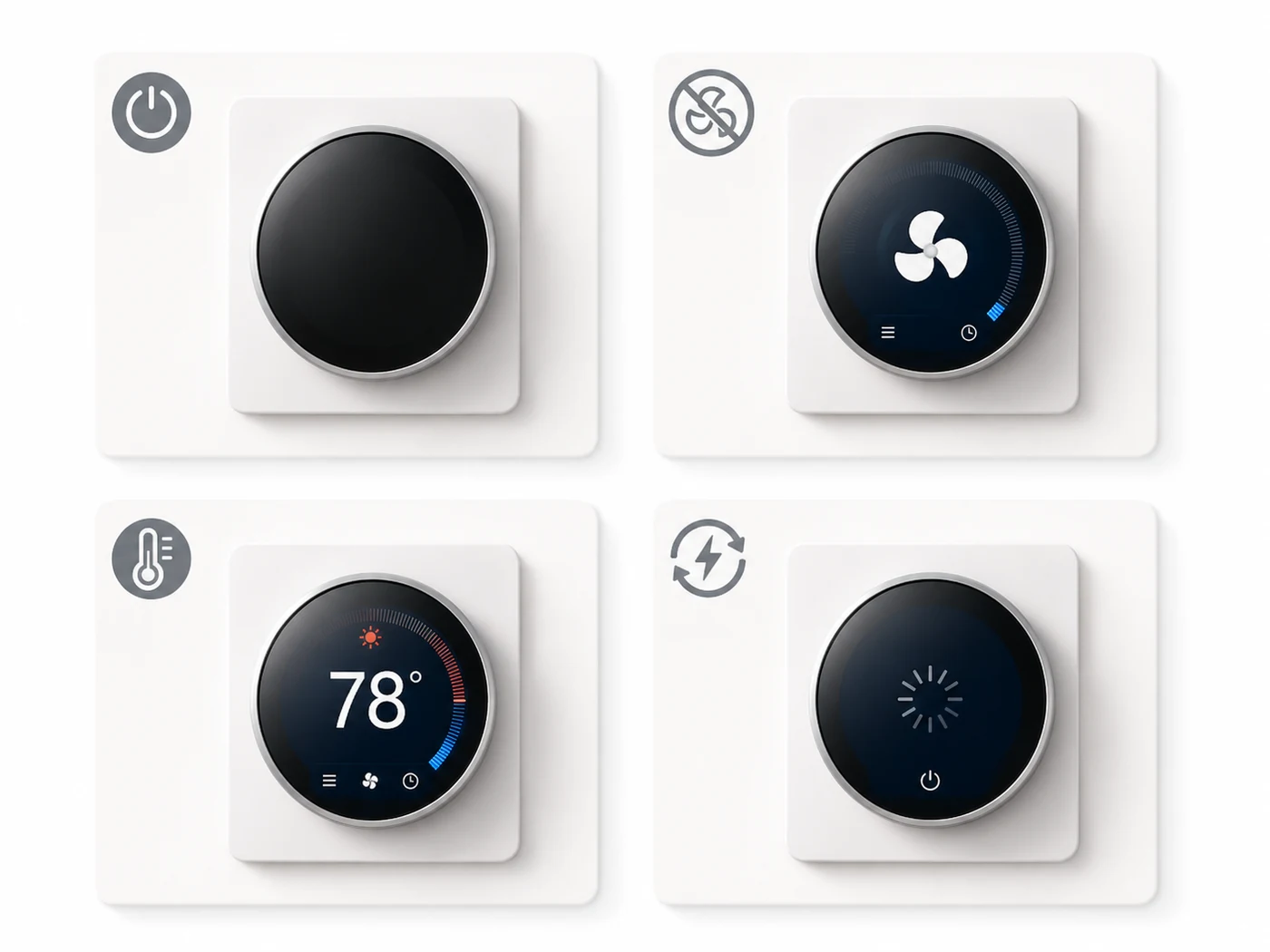
Match the troubleshooting path to what you actually see. A blank screen, a working screen with no HVAC response, a wrong temperature reading, and a thermostat that keeps restarting are four different problems and should not be diagnosed the same way.
1. Start With What You See
Pick the situation that best matches what your thermostat is doing.
No display, no lights, and nothing happens when you press the controls.
→ B. Screen Works, but HVAC Doesn’t StartThe thermostat has power, but heating or cooling never comes on.
→ C. Temperature Reading Seems WrongThe number on the thermostat does not match how the room actually feels.
→ D. Thermostat Keeps Restarting or Losing PowerThe screen reboots, goes dark, freezes, or turns on and off unexpectedly.
→
How the Thermostat and HVAC System Work Together
A thermostat is a control, not the heating or cooling equipment itself. It senses room temperature and tells the furnace, air handler, heat pump, or air conditioner when heating or cooling is needed. The equipment then moves conditioned air through the duct system.
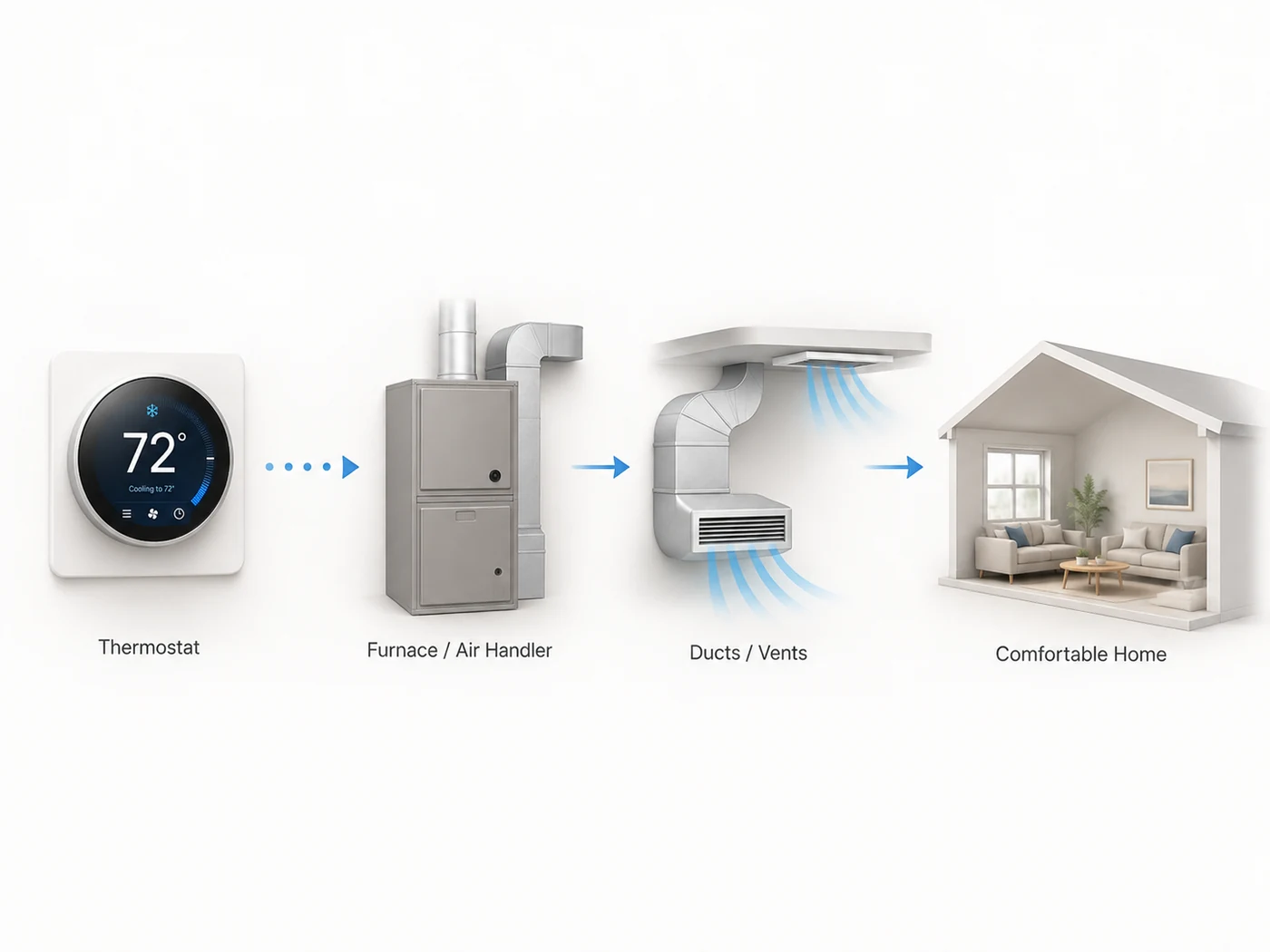
If the screen works normally and the thermostat clearly calls for heating or cooling, the next problem may be outside the thermostat. That distinction prevents you from replacing a thermostat when the actual issue is with HVAC power, a safety control, or the equipment itself.
2. Screen Is Completely Blank
A blank thermostat screen usually means the thermostat is not receiving the power it expects. Trane and Honeywell both recommend starting with batteries when the thermostat uses them, then checking the HVAC system’s power, breaker, and furnace or air-handler door.
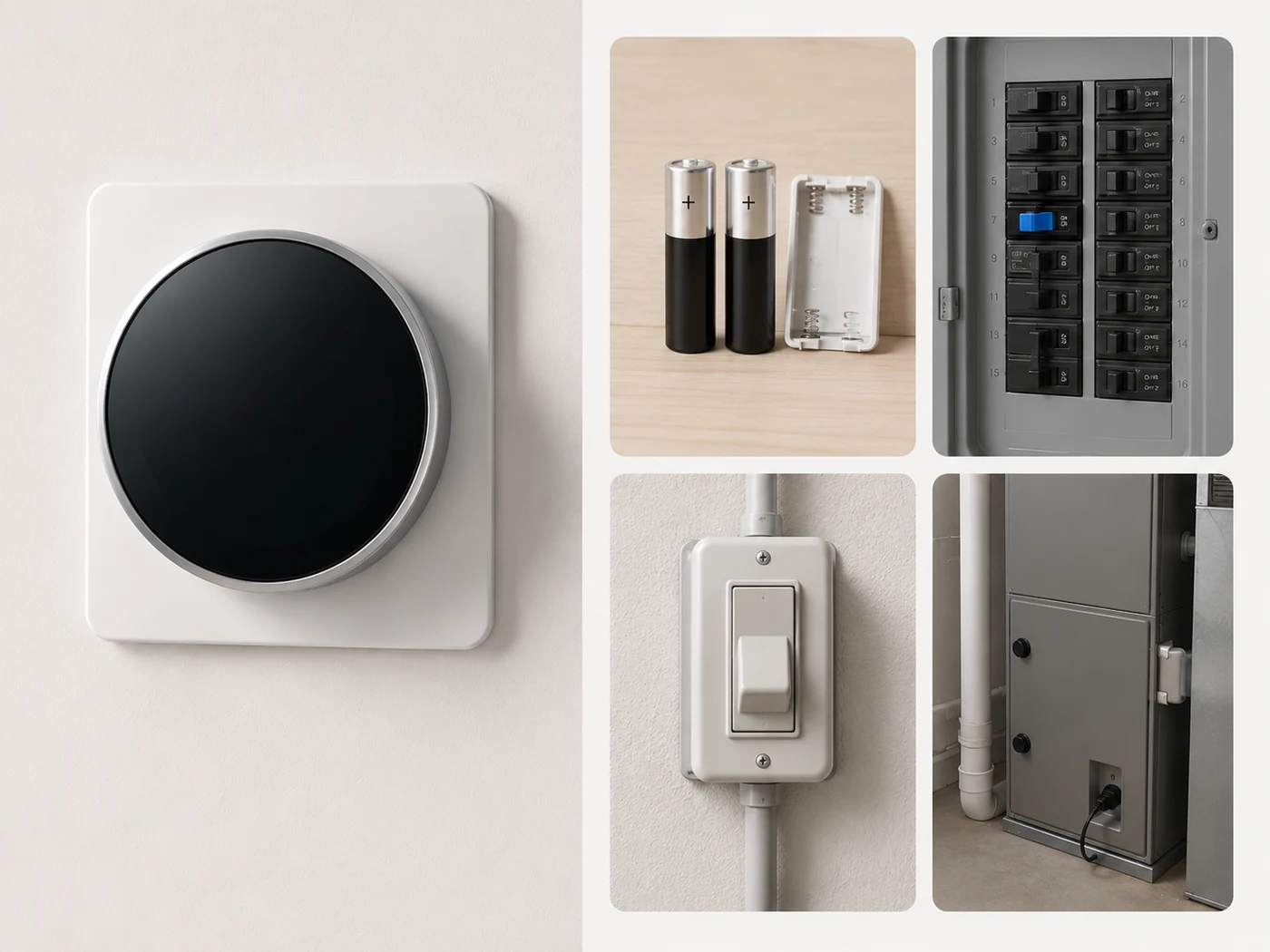
Install fresh batteries of the type specified by the thermostat manufacturer. Do not assume an old battery is good because the screen worked earlier in the day.
Look for the normal service switch near the equipment. If someone accidentally switched it off, the thermostat can lose power on systems that are powered from the HVAC equipment.
If the breaker is in a tripped or middle position and you know how to reset it safely, reset it once. If it trips again, stop. A repeated trip needs professional diagnosis.
Many systems use a door safety switch that cuts control power when the access panel is not seated correctly. Honeywell specifically includes the furnace door in its blank-screen checks.
At this point the cause may be low-voltage wiring, a fuse, transformer, control board, condensate safety, or the thermostat itself. Those checks are better handled with the correct service information and electrical training.
If the thermostat is blank and the furnace or air handler also appears completely dead, do not focus only on the thermostat. The loss of thermostat power may be a symptom of a system-side power problem.
3. Screen Works, but the HVAC System Does Not Start
This is a different problem. The thermostat has power, so the first job is to confirm that it is actually asking for heating or cooling. Honeywell recommends checking the operating mode and making sure the target temperature is on the correct side of the current room temperature.
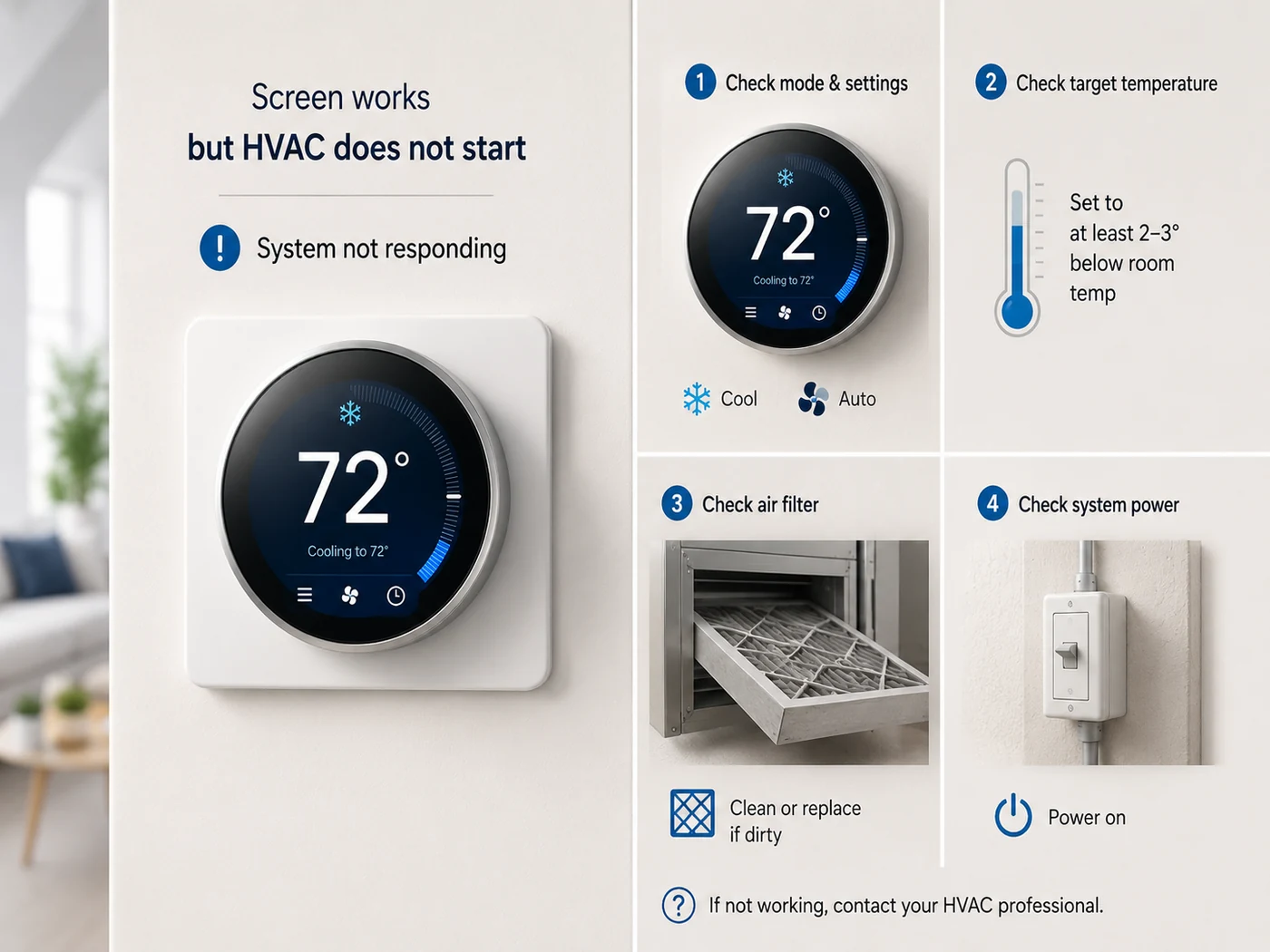
For cooling, set the thermostat to Cool. For heating, set it to Heat. Do not use Fan Only as a test for heating or cooling.
For a cooling test, set the target several degrees below room temperature. For a heating test, set it several degrees above room temperature. Give the equipment time to respond.
Many systems intentionally delay compressor or equipment startup for a few minutes after a setting or power change. A short delay is not the same as a failure.
If the thermostat shows Heat or Cool but the equipment never starts, make sure the furnace, air handler, outdoor equipment, and relevant breakers have normal power.
The thermostat was likely waiting for a valid setpoint or normal startup delay.
The problem may now be in the HVAC system, control wiring, or a safety condition rather than the thermostat display itself.
4. The Temperature Reading Seems Wrong
If the thermostat says the room is much warmer or cooler than it feels, do not immediately replace it. Thermostat placement can create a false reading. Trane advises keeping thermostats away from direct sunlight, kitchens, and supply registers because those conditions can bias the sensor.
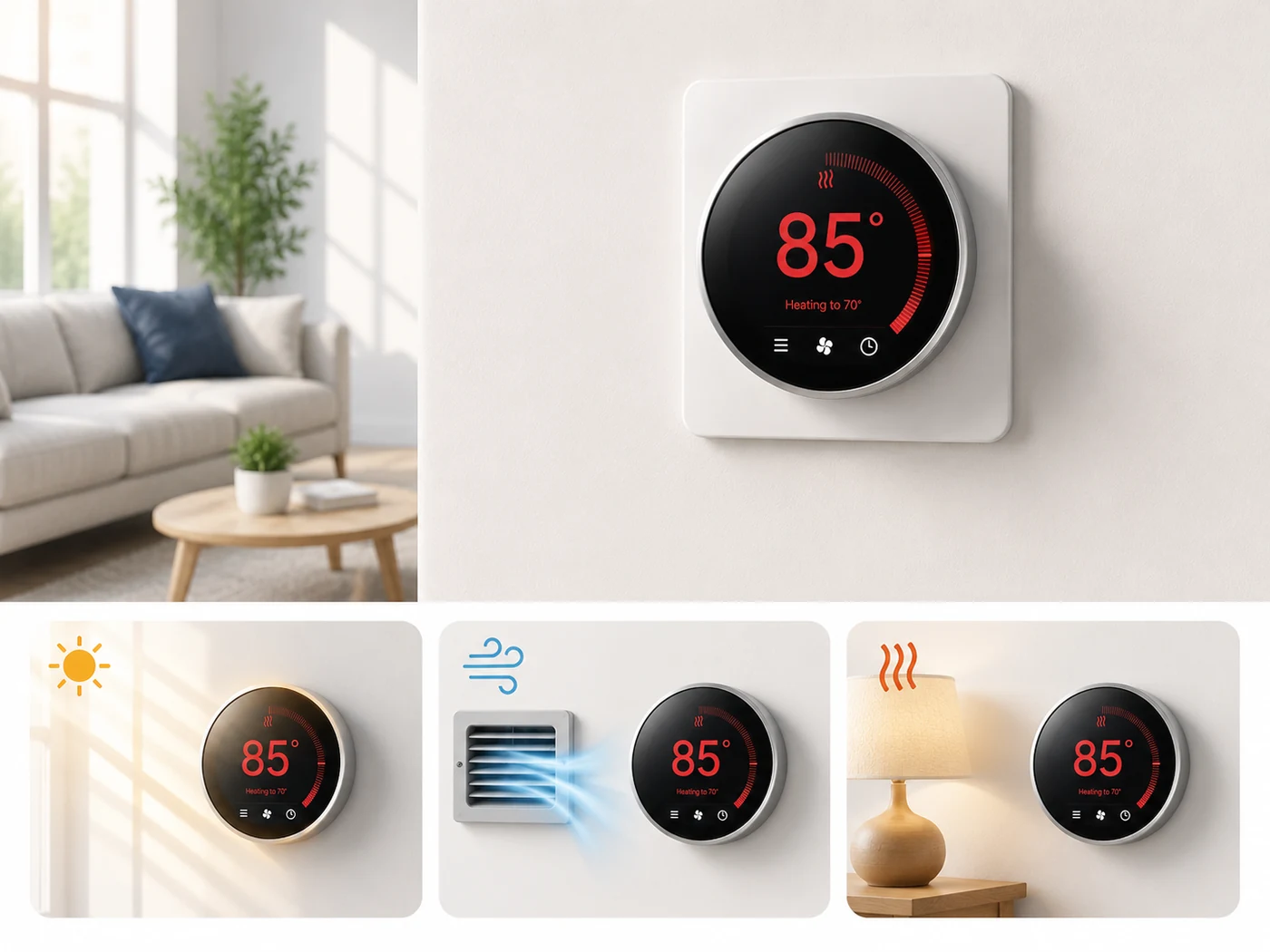
Put a reasonably accurate thermometer near the thermostat, away from your hand and direct airflow, and give it time to stabilize. A one-degree difference is less important than a large, repeatable difference.
If sunlight hits the thermostat for part of the day, the sensor can report a warmer temperature than the rest of the room.
A supply vent, lamp, television, kitchen, or other heat source near the thermostat can distort what the thermostat senses.
Some digital thermostats offer a temperature offset setting. Do not change it until you have confirmed a consistent difference with a separate thermometer.
5. Thermostat Keeps Restarting or Losing Power
Random reboots are not the same as a completely dead thermostat. If the screen repeatedly shuts off and returns, look for an intermittent power problem before blaming the display.
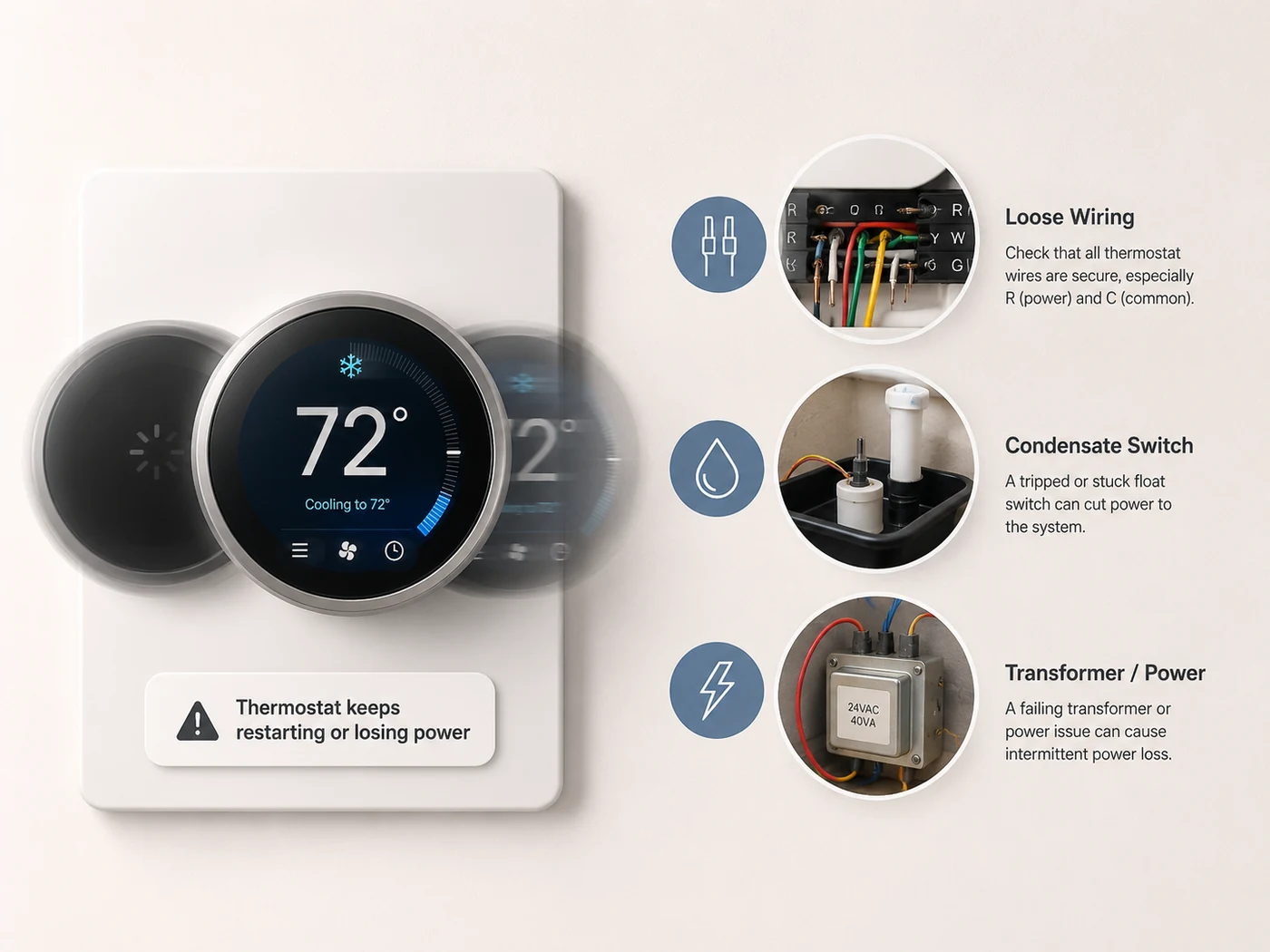
Start with fresh batteries and clean, secure battery contacts.
Repeated reboots can indicate unstable low-voltage power, wiring, or an equipment-side safety interruption.
On some installations, a condensate overflow safety switch can interrupt control power when drainage backs up.
That timing is useful information for a technician because it suggests the problem may be related to the system operating, not just the thermostat sitting idle.
The thermostat circuit is commonly low voltage, but the furnace, air handler, transformer, and control board are connected to household electrical power. Do not bypass condensate switches, door switches, fuses, or other safety devices to keep the thermostat running.
6. Quick Things to Check Before You Buy a New Thermostat
| Symptom | Check first | What the result tells you |
|---|---|---|
| Screen is blank | Batteries, HVAC power, breaker, equipment door | Confirms whether the thermostat is simply missing power |
| Screen works but no heat/cool starts | Mode, setpoint, startup delay, HVAC power | Separates a thermostat setting from an equipment problem |
| Temperature reading is wrong | Independent thermometer and thermostat location | Shows whether the sensor is being influenced by its surroundings |
| Thermostat keeps rebooting | Batteries or intermittent control power | Points toward an unstable power source rather than a simple setting |
If the thermostat looks normal but the heating system itself will not start, continue with the HVAC Troubleshooting section. If you are not sure which home system is actually failing, the Troubleshooting Guides hub is a better starting point than replacing parts.
7. When to Call an HVAC Professional
Stop at the basic homeowner checks when the next step would require live electrical testing, opening HVAC electrical compartments, bypassing a safety switch, or diagnosing a transformer or control board.
the breaker repeatedly trips, the thermostat repeatedly loses wired power, you see burned or damaged wiring, the HVAC equipment is dead even though the home has power, a condensate safety keeps opening, or the thermostat still does not respond after the manufacturer-approved basic checks.
8. The Bottom Line
When a thermostat is not working, the fastest path is to classify the symptom before touching anything. A blank screen points toward power. A working screen with no HVAC response points toward settings, a normal delay, or the equipment. A bad temperature reading points toward sensor location or calibration. Repeated restarts point toward unstable power.
That symptom-first approach gives you a useful diagnosis instead of a random list of thermostat parts to replace.
Frequently Asked Questions
Why is my thermostat screen completely blank?
Common first checks include thermostat batteries, HVAC system power, the circuit breaker, and whether the furnace or air-handler access panel is fully closed. A wired thermostat can also lose power because of a low-voltage control issue.
Why is my thermostat on but the AC or heat will not start?
Check the Heat/Cool mode, set temperature, and normal startup delay first. If the thermostat is clearly calling for heating or cooling and the equipment still does not respond, the problem may be in the HVAC system rather than the thermostat screen.
Can direct sunlight make a thermostat read the wrong temperature?
Yes. Direct sunlight and nearby supply vents or heat-producing appliances can make a thermostat sense a temperature that does not represent the rest of the room.
Why does my smart thermostat keep restarting?
Fresh batteries should be checked when applicable. On wired systems, repeated restarts can also be caused by intermittent control power, wiring, or an equipment-side safety interruption.
Official Sources
This troubleshooting sequence was cross-checked against current manufacturer guidance for blank screens, thermostat settings, temperature readings, and HVAC response.